> ## Documentation Index
> Fetch the complete documentation index at: https://developers.deepl.com/llms.txt
> Use this file to discover all available pages before exploring further.
# Managing admin API keys
> Learn how admins can create and manage admin API keys.
### Get started
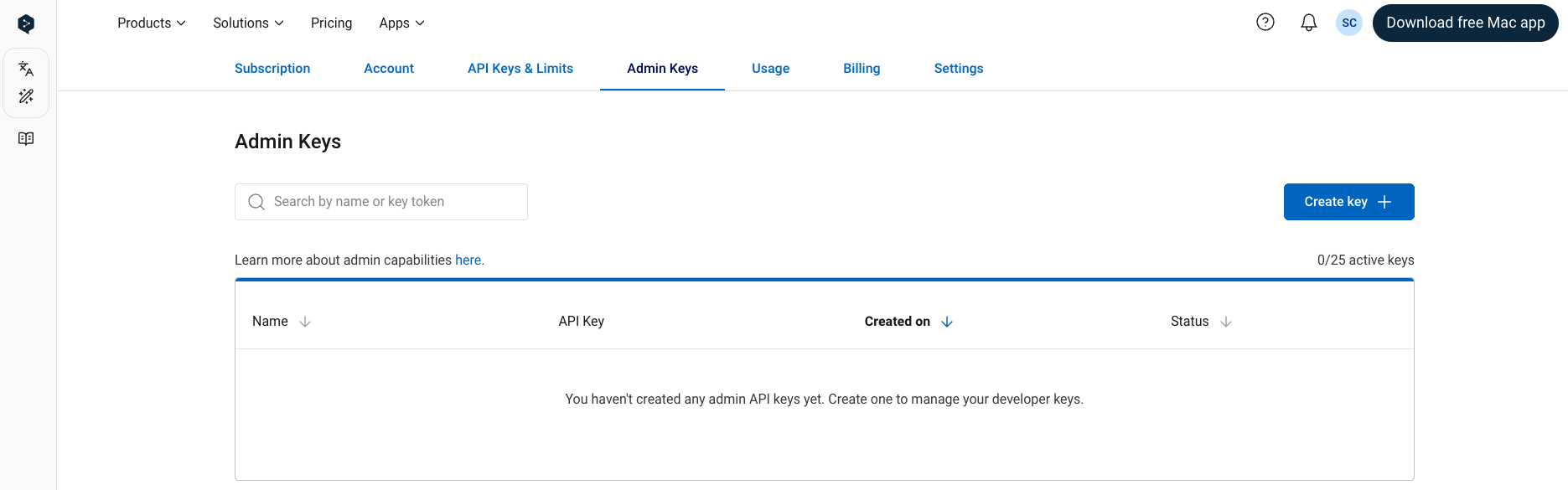
Once the Admin API access has been enabled for your account, you can find and manage your admin API keys in the
[“Admin Keys” tab](https://www.deepl.com/your-account/admin) when signed into your DeepL API account.
It’s possible to have multiple, simultaneously active admin API keys in a single API subscription.
 ### Create new key
Create a new admin API key by clicking on the "Create Key" button.
You can optionally give an API key a custom name during the creation process.
If you do not name the key, the name “DeepL Admin Key” will be given to the key automatically.
You can create up to 25 simultaneously active admin API keys.
### Create new key
Create a new admin API key by clicking on the "Create Key" button.
You can optionally give an API key a custom name during the creation process.
If you do not name the key, the name “DeepL Admin Key” will be given to the key automatically.
You can create up to 25 simultaneously active admin API keys.
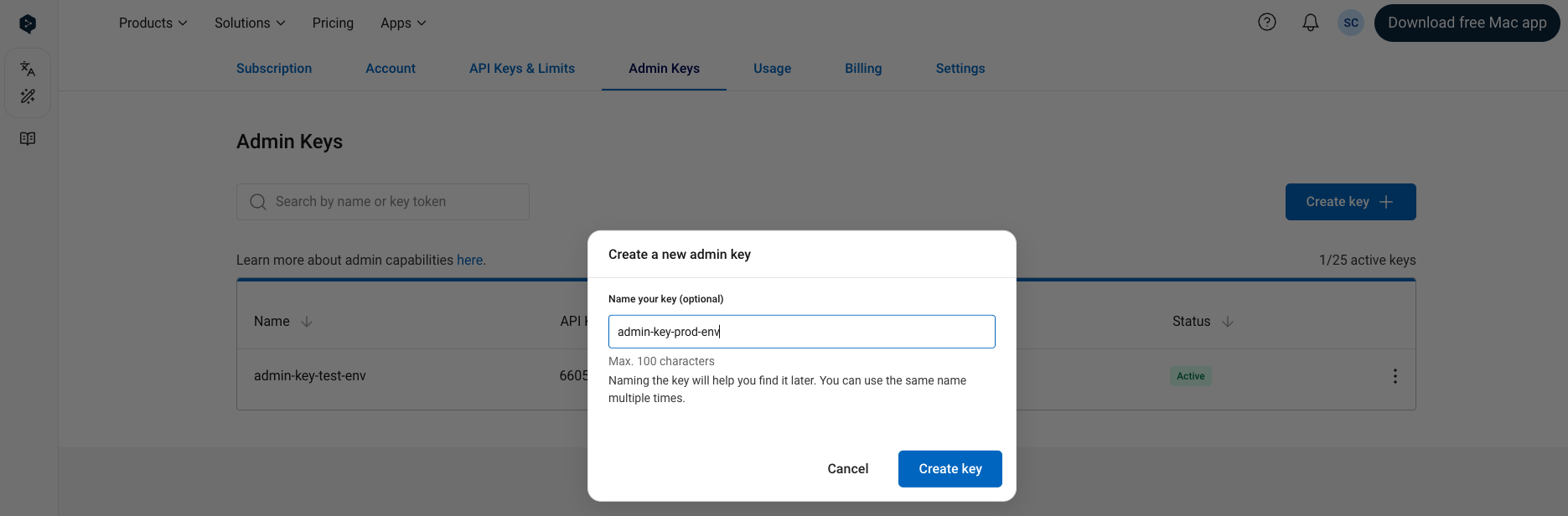 After creating a key, a popup with the newly created key will appear:
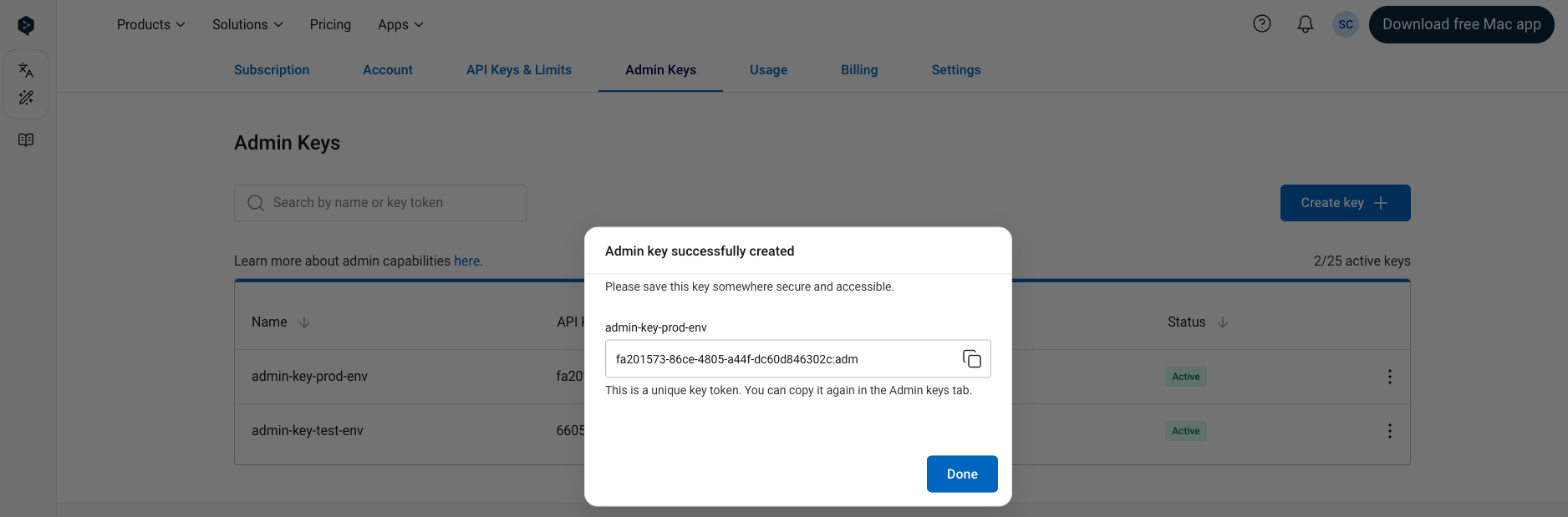 You can copy the key from this popup and use the key immediately.
You can also copy the key from the table in the “Admin Keys” tab at any time.
Note that the generated admin keys always have an *:adm* suffix, to distinguish them from the developer keys which do not have a suffix.
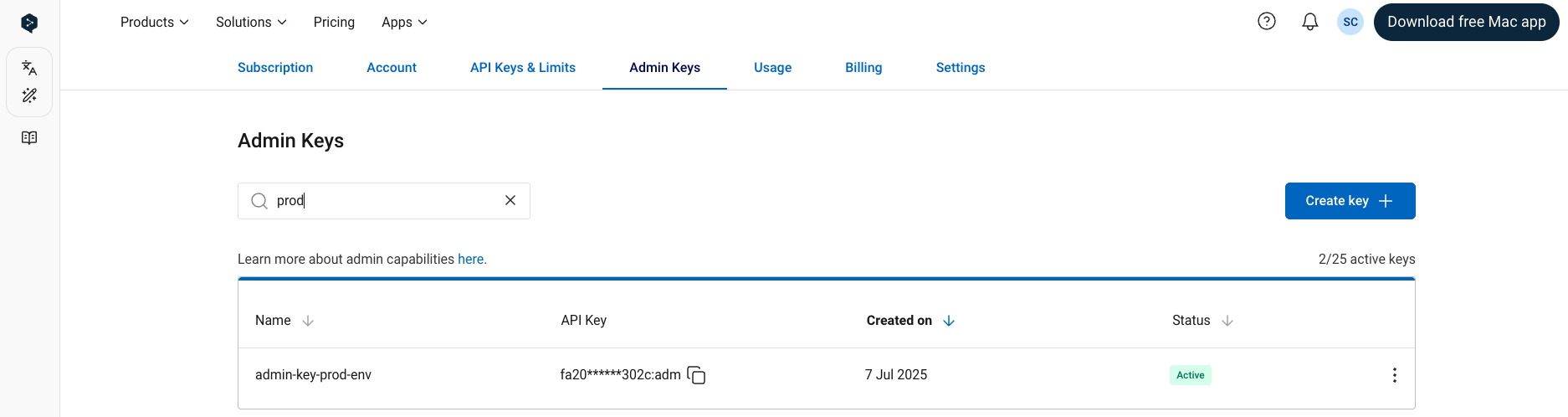
Giving your API keys a name during the key creation process makes it possible for you to search for the key by name
using the search bar on the “Admin Keys” tab:
You can copy the key from this popup and use the key immediately.
You can also copy the key from the table in the “Admin Keys” tab at any time.
Note that the generated admin keys always have an *:adm* suffix, to distinguish them from the developer keys which do not have a suffix.
Giving your API keys a name during the key creation process makes it possible for you to search for the key by name
using the search bar on the “Admin Keys” tab:
 ### Deactivate key
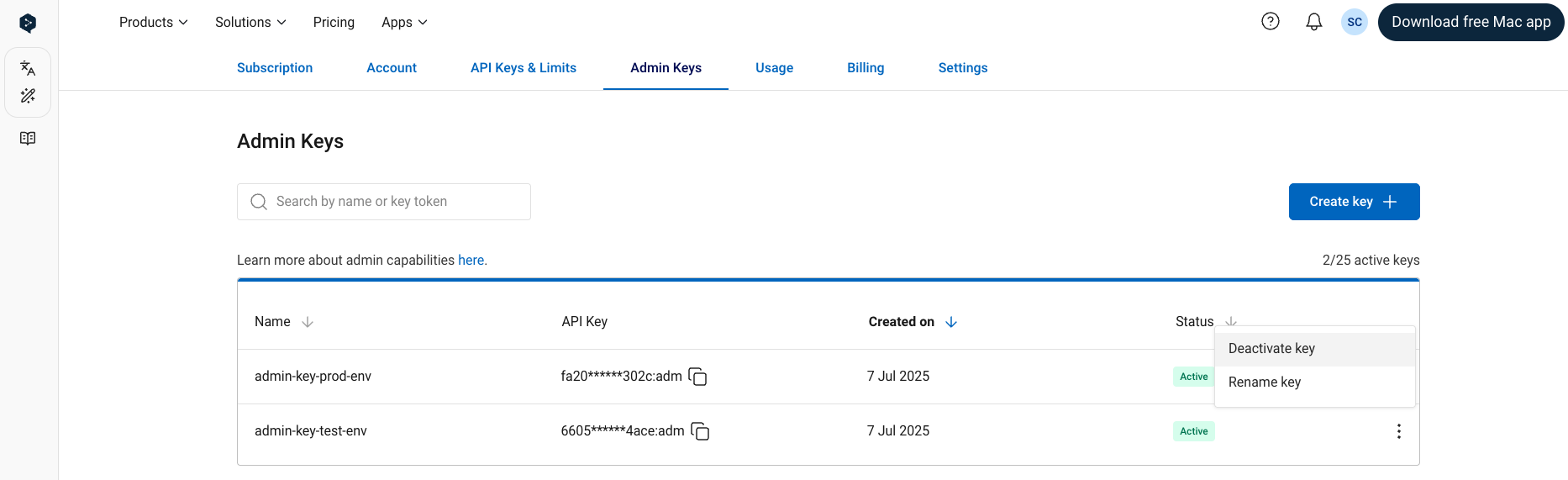
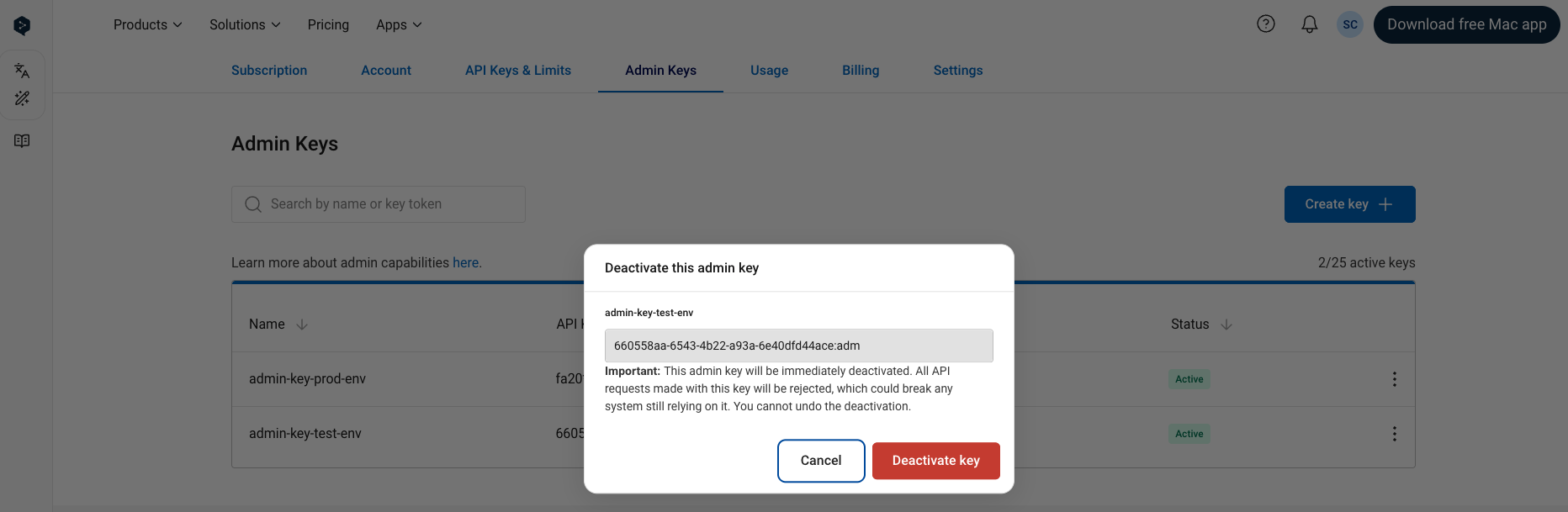
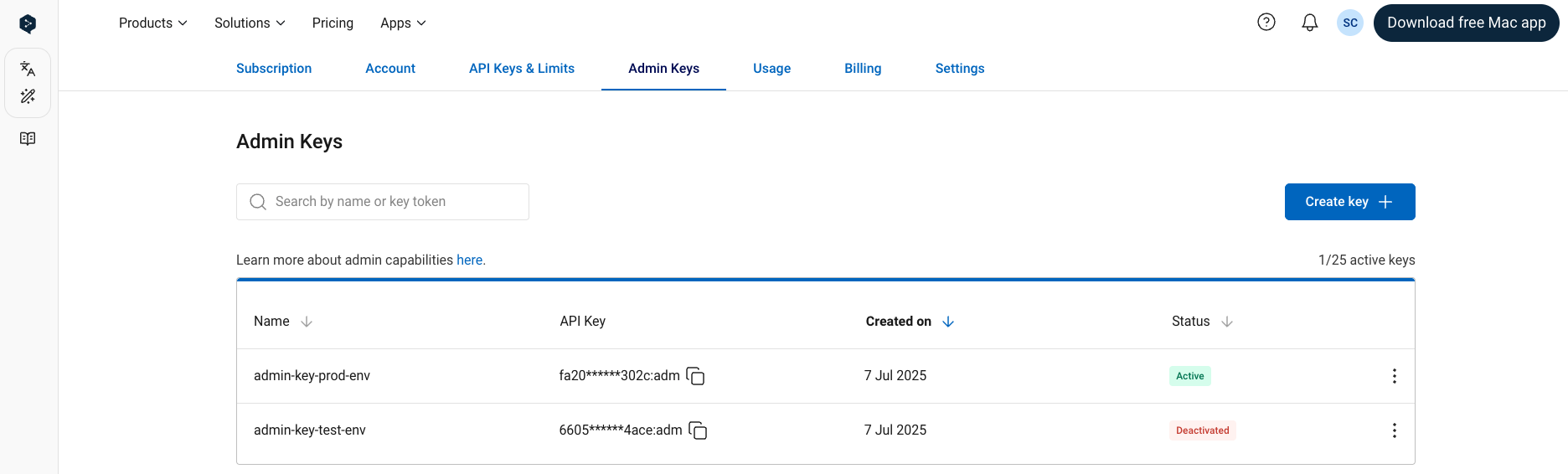
**IMPORTANT:** An API key will stop working immediately when deactivated. After a key is deactivated, it cannot be reactivated—deactivating a key is permanent!
To deactivate an active admin API key:
### Deactivate key
**IMPORTANT:** An API key will stop working immediately when deactivated. After a key is deactivated, it cannot be reactivated—deactivating a key is permanent!
To deactivate an active admin API key:
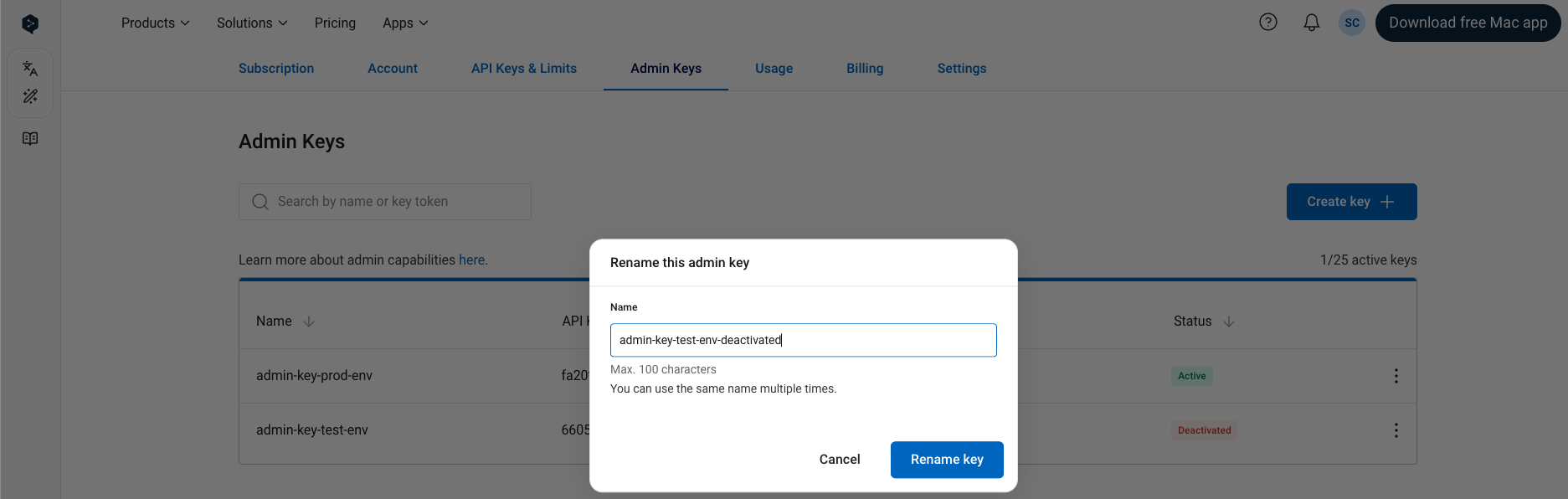
 ### Rename key
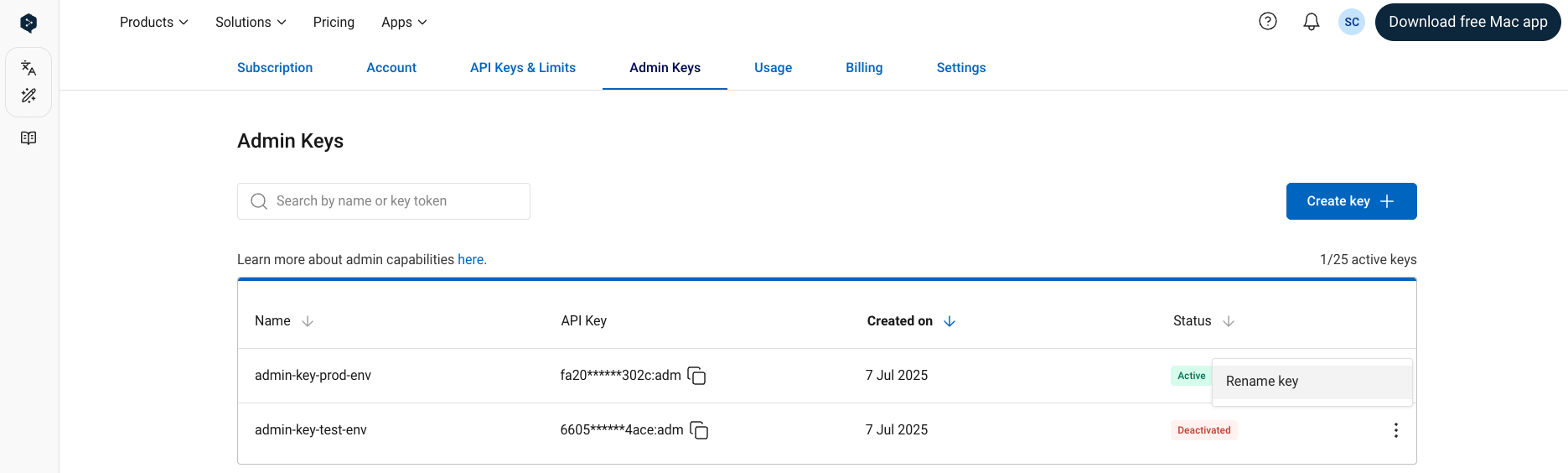
Allows you to edit the name of an API key. Note that it *is* possible for two keys to have the same name.
Both active and deactivated keys can be renamed.
### Rename key
Allows you to edit the name of an API key. Note that it *is* possible for two keys to have the same name.
Both active and deactivated keys can be renamed.
 ### Copy key
To copy an admin API key to your clipboard click the "Copy" icon next to the key.
### Copy key
To copy an admin API key to your clipboard click the "Copy" icon next to the key.
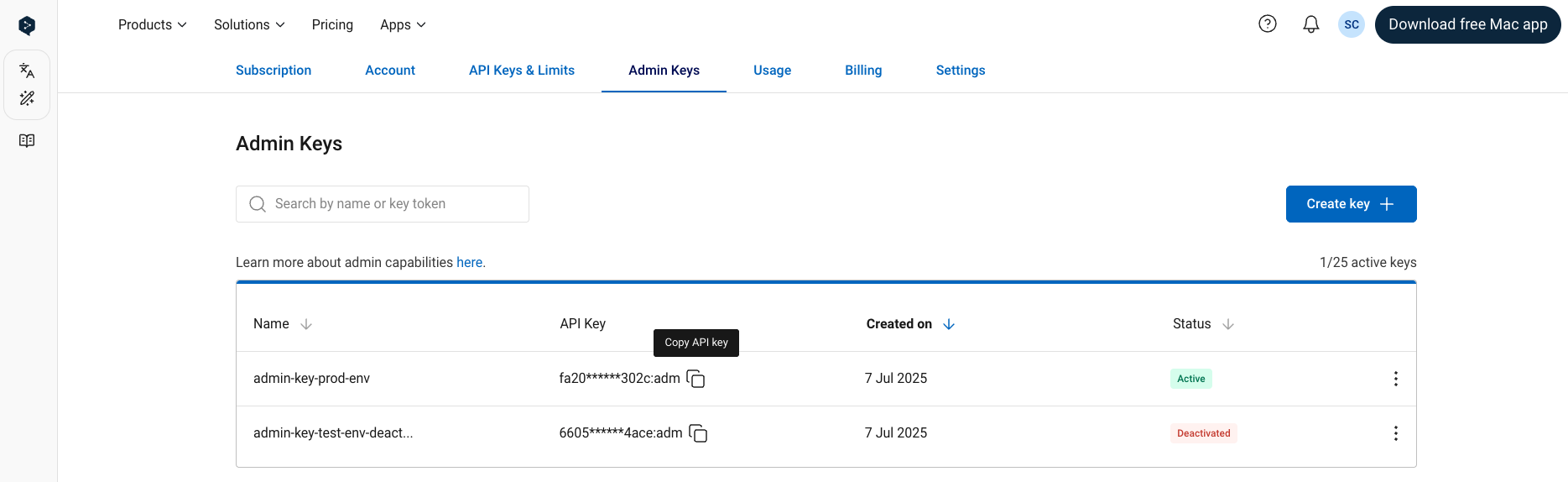 For security reasons, we do not show the full key in the table in the “Admin Keys” tab. Both active and deactivated keys can be copied.